Positivity Rules Digital Stickers: A Practical Guide to Choosing and Using Them Effectively
You’ve seen them everywhere—splashy little graphics that pop up in planners, slide decks, social media stories, and even email signatures. They’re called digital stickers, and the idea is simple: add a dose of encouragement, gratitude, or optimism to your everyday digital spaces. But as with any popular tool, the market gets crowded, and not every option lives up to its promise. If you’ve been eyeing Positivity Rules Digital Stickers or a similar set, you might be wondering whether they’re worth the download and how to use them well. Let’s walk through what they are, where people tend to stumble, and how you can sidestep those missteps to get real value.
What Exactly Are Positivity Rules Digital Stickers?
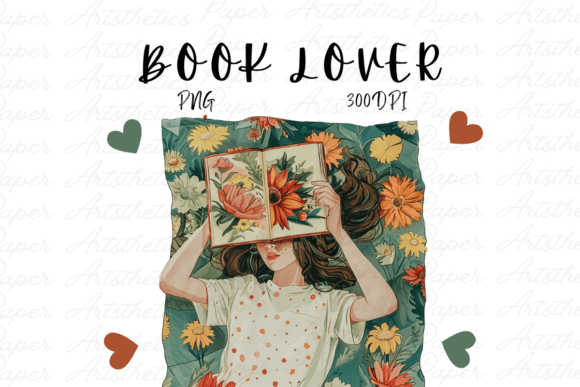
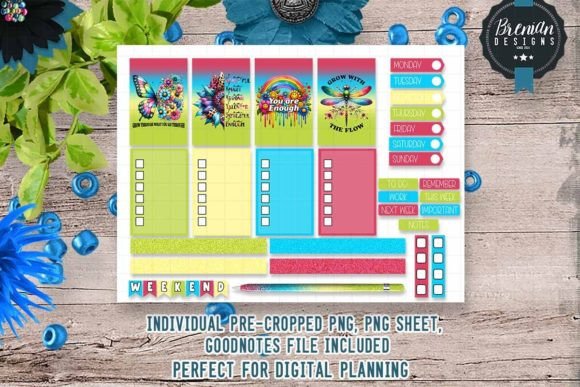
At their core, these are image files—usually PNGs with transparent backgrounds—designed to add visual affirmations, cheerful symbols, and motivational text to your digital work. The Positivity Rules collection typically includes a mix of icons, quotes, and whimsical illustrations that lean into themes like growth mindset, gratitude, self-care, and resilience. They live on your device, ready to be dragged into presentations, journals, newsletters, or any canvas that supports image layers.
People are drawn to them for good reason. A well-placed sticker can shift the tone of a slide, break up heavy text in a blog post, or make a daily planner feel less like a chore list. They tap into a growing need for warmth and connection, especially when our communication is often flat digital text. But the enthusiasm around stickers can lead to rushed decisions and overlooked details that reduce their impact—or worse, make your work look unprofessional.
Overlooking File Format and Resolution
The most frequent mistake is assuming all digital stickers are created equal in terms of technical quality. When you download a set, you might get files in PNG, JPEG, or even SVG format. Each has its place, but if you plan to resize or layer stickers, PNG with transparency is almost always your best bet. JPEGs leave a white box around the design, breaking the illusion that the sticker belongs on the page. Low-resolution images (anything below 300 DPI for print or 72 DPI for screen) turn crisp lines into fuzzy edges, and that kills the polished look you’re after.
Before you buy or download, check the file specifications. Reputable sellers like Positivity Rules usually list the resolution and format clearly. If you see only JPEG options or a vague “high quality” label without numbers, proceed with caution. A good rule of thumb: look for at least 2000×2000 pixels for square stickers, and always verify that there’s a transparent PNG version. This small upfront check saves you the frustration of a “blown up” sticker that pixelates when you scale it to fit a slide.
Ignoring Licensing and Usage Rights
This one catches freelancers and small business owners off guard more than anyone else. You find a gorgeous set of positivity stickers, use them in a client proposal, and then realize the license only covers personal use. Whether commercial use means paid client work, branding materials, or even a YouTube video background varies by creator. Some sets are free for personal journaling but require an extended license for anything that generates revenue.
Always read the terms before clicking “add to cart.” Positivity Rules stickers typically come with a clear license statement. If you’re a marketer, educator, or freelancer creating content for others, look for wording like “commercial use allowed” or “can be used in client projects.” If the license is vague, reach out to the seller. A quick email now prevents a legal headache later—and protects your reputation if a client asks for the source of your assets.
Using Stickers as a Crutch Instead of a Complement
Even the best positivity stickers can backfire if you plaster them everywhere without strategy. I’ve seen beautiful digital planners turned into sticker collages where the original content is barely readable. The stickers compete with each other and with the text, turning encouragement into visual noise. The mistake is thinking that “more stickers equals more positivity.” In reality, clutter dilutes the message.
A better approach is to treat each sticker like a headline or an accent. Use one per page or per slide section. If you’re creating a weekly planner, pick a single affirmation sticker for the week and repeat it subtly. For a workshop slide deck, add a small smiley or star icon next to key points—not every bullet. The “less is more” principle applies. Your audience will actually notice and remember the sticker when it’s used sparingly and meaningfully.
Choosing Stickers That Don’t Fit Your Visual Brand
Positivity Rules Digital Stickers often come in cohesive collections—maybe soft pastels with hand-drawn lettering, or bright watercolor shapes. But if your brand uses bold, modern colors and clean sans-serif fonts, a whimsical pastel sticker can feel jarring. Hobbyists may not care, but for professionals, bloggers, and small business owners, visual consistency builds trust. A mismatch signals sloppiness or lack of attention to detail.
Match the sticker style to your existing aesthetic. Look at the palette: does the yellow in the sticker clash with your brand’s mustard? Are the fonts similar to what you use in your headers? If you’re unsure, download a free sample pack (many sellers offer one or two stickers as a preview) and test them in your typical project file. This quick compatibility check takes ten minutes but can save you from buying a whole set that sits unused.
Neglecting Placement and Context
Digital stickers are often designed to look like physical stickers—with irregular edges, shadows, or slight rotation. That charm works on a notebook page, but in a formal document or client email, a crooked sticker can come off as unprofessional. Another common placement mistake is sticking an affirmation on a graph or chart where it obscures data. The goal is to enhance, not obstruct.
Think about the purpose of the sticker in that space. If the sticker says “You’ve got this,” place it near a summary or a call to action, not over the numbers themselves. Use layers: keep the sticker on a separate layer so you can adjust opacity or move it without disturbing the underlying content. For digital planners, consider placing stickers on a “sticker layer” that you can toggle on and off depending on the day’s mood. This flexibility gives you control without commitment.
Forgetting About File Organization and Backup
It sounds trivial, but many people download stickers, use them once, and then can’t find the file later when they want it again. Sticker sets often come as ZIP files with dozens of individual PNGs. If you dump them all onto your desktop, you’ll end up with a mess that slows down your workflow. The same applies to apps that store stickers locally—if you lose your device or the app crashes, those files might be gone.
Create a dedicated folder in your cloud storage or computer, named clearly (e.g., “Positivity Rules Stickers – Set 2”). Inside, organize by theme or color if the set is large. Use descriptive file names; if the sticker is called “sunflower_gratitude.png,” keep it that way. For digital planners, many apps let you import stickers into a permanent library—do that immediately after downloading. Back up the original ZIP file to an external drive or cloud service. This small habit ensures that when inspiration strikes, you’re not hunting through downloads.
What to Check Before You Commit
Before you purchase or download any digital sticker set—including Positivity Rules—run through this short checklist:
- Format and resolution: Are transparent PNGs available? Is the resolution adequate for your intended use (screen vs. print)?
- License: Does it cover your intended use (personal, commercial, or both)? Can you modify the stickers (change color, combine with other assets)?
- Style fit: Does the set’s visual language align with your current projects or brand?
- Reviews or previews: Have you seen real examples from other users? Look beyond the seller’s polished mockups.
- File size and organization: Are the files reasonably small for fast loading, yet high quality? Is the set well-named for easy searching?
- Support and updates: If the set is digital, can you redownload after a lost file? Does the seller offer support for technical issues?
Taking these steps eliminates surprises and helps you invest in stickers that will actually enhance your work, not gather digital dust.
A Better Way to Use Positivity Rules Digital Stickers
Now that you know what to avoid, here’s a simple workflow to get the most out of your sticker set:
- Start with a purpose. Decide whether the sticker is for motivation, decoration, or emphasis. That clarity will guide your selection.
- Place on a separate layer. In any design app (Canva, Procreate, PowerPoint, etc.), keep stickers on their own layer to adjust positioning without ruining the underlying work.
- Scale proportionally. Hold the Shift key while resizing to avoid distortion. Resist the urge to make the sticker so large that it overwhelms the page.
- Consider opacity. Lowering the opacity to 80% or 90% can make a sticker feel like a subtle background element rather than a bold intrusion.
- Test with a sample. Before using the sticker across twenty slides or planner pages, run a quick test in one layout. Does it still look good when exported as a PDF or image? Are the colors still vibrant?
- Keep a consistent use case. If you use one sticker style in your morning planner, stick with that same style for the entire month. Consistency builds a visual rhythm that readers or viewers subconsciously appreciate.
Positivity Rules Digital Stickers, like any creative asset, are only as effective as the strategy behind them. When chosen carefully and placed thoughtfully, they can inject warmth, personality, and encouragement into your digital life without sacrificing professionalism. Avoid the common traps of format ignorance, licensing oversights, and visual clutter, and you’ll find yourself reaching for these stickers again and again—not because they’re trendy, but because they genuinely work for your unique needs.