How to Use a Watercolor Wedding Floral Bouquet PNG in Real Projects
Watercolor wedding floral bouquet PNG files are versatile design assets that blend the organic charm of hand-painted florals with the convenience of a clean, editable digital format. Unlike photographs that may feel too literal or vector illustrations that can appear rigid, these PNG assets carry a soft, painterly quality that designers, small business owners, and marketers often find difficult to achieve from scratch. When you work with a watercolor wedding floral bouquet PNG, you are essentially working with a pre-rendered artistic element that has already been separated from its background, which drastically reduces the time between concept and final output.
For anyone who creates invitations, social media graphics, blog headers, or print-on-demand products, understanding how to integrate such an asset into an existing workflow is more valuable than simply admiring its aesthetic. The real question is not whether the bouquet looks beautiful—it is how you can use it efficiently without disrupting your current process. Let's walk through the practical aspects, from selection and preparation to implementation and long-term use.
What a Watercolor Wedding Floral Bouquet PNG Actually Provides
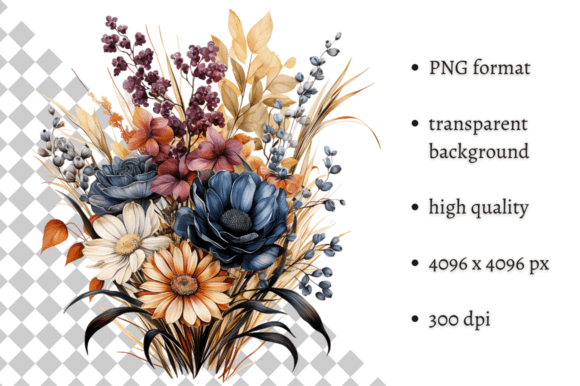
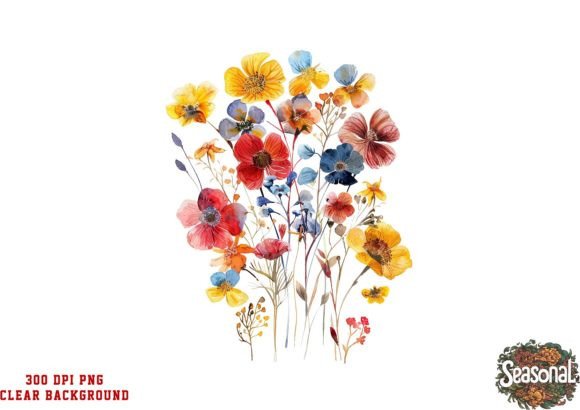
At its core, a watercolor wedding floral bouquet PNG is a raster image with transparent background support. The watercolor effect simulates the bleeding, layering, and soft edges of actual watercolor paint on paper. Because the file is in PNG format, you can place it over any colored background or textured surface without dealing with a white box or unwanted backdrop. This makes it especially useful in layered design projects where you need the bouquet to sit naturally alongside typography, other floral elements, or abstract shapes.
Unlike JPEG files, PNG preserves transparency and handles subtle color gradients better, which is critical when working with the soft transitions found in watercolor art. However, it is worth noting that PNG files are typically larger than JPEGs. If you are building a website or a digital product where load speed matters, you may need to optimize the file size without sacrificing the transparency channel. Tools like TinyPNG or Photoshop's "Save for Web" allow you to compress a watercolor wedding floral bouquet PNG while keeping the transparent background intact.
How It Interacts with Your Design Stack
This type of asset works best when paired with software that supports layer blending and transparency. Whether you use Canva, Adobe InDesign, Affinity Publisher, Procreate, or even a simpler tool like PowerPoint, the PNG format is universally supported. The key is to understand how your specific application handles transparency. In Canva, for example, you can upload the watercolor wedding floral bouquet PNG directly, then adjust its position, scale, and opacity without any background cleanup. In Photoshop, you can apply layer masks, multiply blending modes, or even add drop shadows to make the bouquet feel grounded in the composition.
Where to Place the Bouquet in Your Workflow
Integration starts before you open your design tool. A common mistake is downloading a watercolor wedding floral bouquet PNG and immediately dragging it into a project without checking resolution, color profile, or intended use. Instead, treat the asset like any other raw material in your process. Establish a folder system where you store floral elements by color palette, mood, or intended season. This way, when you are in the middle of a client project or a tight deadline, you are not scrolling through hundreds of unorganized files.
- Before the project: Browse and select bouquets that match your client's wedding palette or brand colors. Download at least two variations so you have fallback options.
- During layout: Place the bouquet as a central visual anchor or a corner accent depending on the composition. Test different scales to see how the watercolor edges interact with your text or other graphics.
- After delivery: Archive the asset along with the final project file so you can reuse or adapt it for future work. Many entrepreneurs repurpose wedding assets for anniversary cards, thank-you notes, or social media content.
Invitation and Stationery Design
If you design wedding invitations, a watercolor wedding floral bouquet PNG can serve as the hero element on the front of the card. Place it in the center-left or bottom-right, then layer serif typography over the more transparent areas of the bouquet. Because watercolor images often have soft edges, avoid placing critical text directly over dense sections of paint where readability drops. Instead, use a subtle shadow or a semi-transparent shape behind the text to create contrast without hiding the artistry.
For the invitation back cover or enclosure cards, scale down the same bouquet and use it as a watermark-style accent. This creates visual consistency across the suite without requiring additional design work. If you are printing with a local or online vendor, request a proof to ensure the transparency renders correctly, especially if the printer converts your file to a different format.
Social Media and Blog Content
Wedding industry blogs and Instagram accounts rely heavily on cohesive aesthetics. A watercolor wedding floral bouquet PNG can become part of your recurring visual identity. For example, use it as a background element in Instagram Stories—slide it behind a quote or a tip, and adjust the opacity to 40% so it does not compete with the foreground text. For Pinterest pins, composite the bouquet with a solid color block and a bold headline. The transparency allows you to create layered, rich images quickly without rebuilding the floral element each time.
Print-on-Demand Products
If you sell products on platforms like Printful, Redbubble, or Etsy, the watercolor wedding floral bouquet PNG can be placed onto mugs, tote bags, notebooks, or wall art. Because PNG supports transparency, you can position the bouquet on colored product mockups without white edges. Just be mindful of the resolution: a low-resolution PNG will look pixelated when printed on a large surface like a pillow or a blanket. Always check the manufacturer's recommended DPI and resize accordingly before uploading.
Factors That Affect Long-Term Usability
Not all watercolor wedding floral bouquet PNG files are created equal. The quality of the original painting, the resolution of the scan or digital rendering, and the accuracy of the background removal all influence how well the asset integrates. When sourcing, look for files that are at least 300 DPI at the size you intend to use. Lower-resolution files can work for digital screens but will disappoint in print. Additionally, check whether the colors in the bouquet match standard print gamuts. Watercolor tones can be quite subtle, and some shades may fall outside CMYK range, leading to muddy prints.
Another factor is file naming and tagging. A well-organized library of floral assets saves hours over time. Instead of naming a file "bouquet1.png," rename it to something like "watercolor-wedding-bouquet-blush-rose-greenery.png." This makes search faster and helps you avoid opening multiple files to find the right one. If you work with a team, establish naming conventions that everyone follows.
Compatibility with Other Resources
A single watercolor wedding floral bouquet PNG does not exist in isolation. It often works best when paired with other watercolor elements such as wreaths, loose leaves, or abstract splashes. Many designers build composite scenes by stacking multiple PNG files with varying opacities and blend modes. For instance, you might place a large bouquet in the center, then add a few scattered watercolor leaves around the edges for a flowing, natural composition. Because all elements share a similar watercolor texture, they will feel like they belong together, even if they come from different sources.
Quality Control and Preparation Steps
Before using any watercolor wedding floral bouquet PNG in a final deliverable, run through a short verification checklist:
- Open the file in a viewer that respects transparency (most modern image viewers do). Look for leftover pixels or jagged edges around the floral shapes.
- Zoom in to 100% and check for compression artifacts. If you see blocky or blurry patches, find a higher-quality source.
- Test the file against your background color. Place it on a dark background and a light background to see how the transparency handles. Some PNGs have faint halos that only show up on dark surfaces.
- Check the file size. A typical watercolor bouquet PNG at print resolution can range from 2 MB to 15 MB. If it is smaller than 1 MB and claims to be high resolution, it may be over-compressed.
If you find minor imperfections, you can often fix them in your design software. For example, a stray pixel at the edge can be masked out in Photoshop. But if the issues are widespread, it is better to select a different asset than to spend time repairing a flawed file.
Efficiency Gains When You Plan Ahead
One of the less obvious advantages of using a watercolor wedding floral bouquet PNG is the speed it brings to iterative design. If you are creating multiple versions of a save-the-date card for a client who cannot decide on a layout, having a transparent PNG allows you to swap backgrounds, adjust text placement, and test color variations in seconds. Without the transparency, you would need to clip out the bouquet each time or rebuild the composition from scratch. Over the course of a busy wedding season, those small time savings add up significantly.
Entrepreneurs who sell digital templates also benefit. A suite of pre-made watercolor wedding floral bouquet PNG assets can be bundled with editable Canva or InDesign templates, giving buyers the ability to customize without needing advanced design skills. This lowers the barrier to entry for your customers and increases the perceived value of your product.
Observations on Consistency Across Projects
If you work with multiple bouquets across different projects, train yourself to recognize the visual signature of watercolor assets. Some bouquets lean heavily into pink and blush tones, while others feature deep burgundy or bright citrus hues. When you maintain a consistent color palette across your floral assets, your portfolio as a whole looks more intentional. Clients and followers will associate your brand with a certain mood or aesthetic, and that recognition builds trust over time.
Similarly, pay attention to the density of the watercolor texture. A bouquet with heavy, saturated paint will feel dramatic, while one with lighter washes will feel airy and romantic. Match the energy of the asset to the tone of the project. A rustic barn wedding might call for a looser, earthier bouquet, whereas a sleek city hall ceremony might benefit from a more structured, minimalist watercolor arrangement.
Long-Term Storage and Retrieval
After you have amassed a collection of watercolor wedding floral bouquet PNG files, think about how you will retrieve them months later. Cloud storage solutions like Google Drive or Dropbox work well, but consider using a digital asset management tool if you have hundreds or thousands of files. Tag your bouquets by dominant color, flower type, season, and mood. When a client asks for "something with lavender and soft green," you can filter your library and deliver options in minutes rather than browsing through date-stamped folders.
Also, keep a backup of your original downloads. If you ever need to re-export at a different resolution or crop the bouquet for a unique format, having the untouched source file is far better than working with a version that has already been flattened or scaled down.
Final Practical Considerations
Using a watercolor wedding floral bouquet PNG is not complicated, but it rewards a thoughtful approach. The asset itself is a shortcut to a hand-painted look, but the workflow around it—selection, organization, testing, and integration—determines whether it becomes a time-saving tool or just another file lost in a cluttered desktop. By treating it as part of a larger process rather than a standalone decoration, you unlock its full potential for efficiency, consistency, and creative output.
Whether you are designing for one wedding or producing content for an entire brand, the combination of watercolor artistry and PNG transparency gives you a flexible, repeatable resource. Learn to handle it well, and it will serve you across dozens of projects without losing its freshness or appeal.